Trying Out Claude Code - Part 2
Let's get this up and running
After many prompts with Claude Code, and a fair bit of ironing out any issues produced by the LLM, it looks like we have a nice MVP. But there’s still room to improve. The UX on certain pages is subpar, the styling isn’t great, some features need to be thought out a bit more, and we need better overall security and robustness for the app. So here’s a checklist of everything we (meaning me and CC) need to do before I consider this app done:
- Fix the style and appearance of the edit media list flow
- Create a better theme selection process for the user
- General UX improvements
- test api errors to make sure we have that axios helper function for bubbling them up
- add modal for editing tab, add optional description for each tab.
- fix eslint/ts errors and issues
- handle errors with toasts instead of failing silently
- Update the styling of the app
- Make the app more robust and stable on edge cases (full pagination, limit pagination values (if not already),
- limiting uploads, make sure user is verified before uploading, admin + user roles, etc.)
- make sure add/edit media page is robust
- migrate file upload to cloudflare
I also investigated different recommendations for how to practice agentic coding. This article by Addy Osmani had a few good tips:
It’s a long article, but some of the key takeaways are planning before coding, working in small chunks, and staying in the loop by continuously testing and reviewing the code.
I noticed that Claude often did things that technically “worked” within the bounds of the narrow feature I asked it to do, but could pose problems down the line. So I decided to go with Addy Osmani’s more thorough approach. I would make sure I discussed the new feature first, ideate with CC, and then once we decided upon a plan, ask it for the implementation.
OK, so how did “phase 2” of my implementation end up going?
Below I’m going to go over my further adjustments, in detail. If you want to skip that, just go down to the Final Thoughts section.
Fix the edit list media flow:
The original edit page is a little confusing, with edit features located on different parts of the page, so I enlisted Claude to do a few redesigns.
After a bit of a walkthrough with Claude, it suggested having the theme picker in a sidebar. I liked this a lot more since it made the theme selection more visible and easy to access. I decided to move the rest of the edit options (adding a review, category, etc.) into the sidebar to consolidate all of them in 1 place. In my opinion, this is more inuitive and makes it easy to find all of the different options.
Theme Sidebar:
All Edit functionality in the same sidebar. Much cleaner!
Adding better themes
As it stands now, the themes of the site are still lackluster. There’s only a few colors, and they’re only applied to the header. It would be nice if the theme selections were more unique, and more closely aligned with design aesthetics as opposed to just colors (minimalism, brutalism, frutiger aero, etc.).
This is where Claude saved the day, and left me quite impressed. I gave it a very simple description of what I wanted, which was these different “aesthetics” a user could pick from, and then a list of samples it could use (neobrutalism, minimalism, etc.) I knew this would require quite annoying lists of variables for colors, padding, border radius, etc. and I didn’t want to bother with that, so I let Claude get to work generating these themes for me on the frontend.
Now that’s looking a lot better! A very annoying task that would have taken me probably an entire day to work through was just completed in ~1 hour of tweaking and going back and forth with CC. My favorite one is the dark forest theme it came up with:
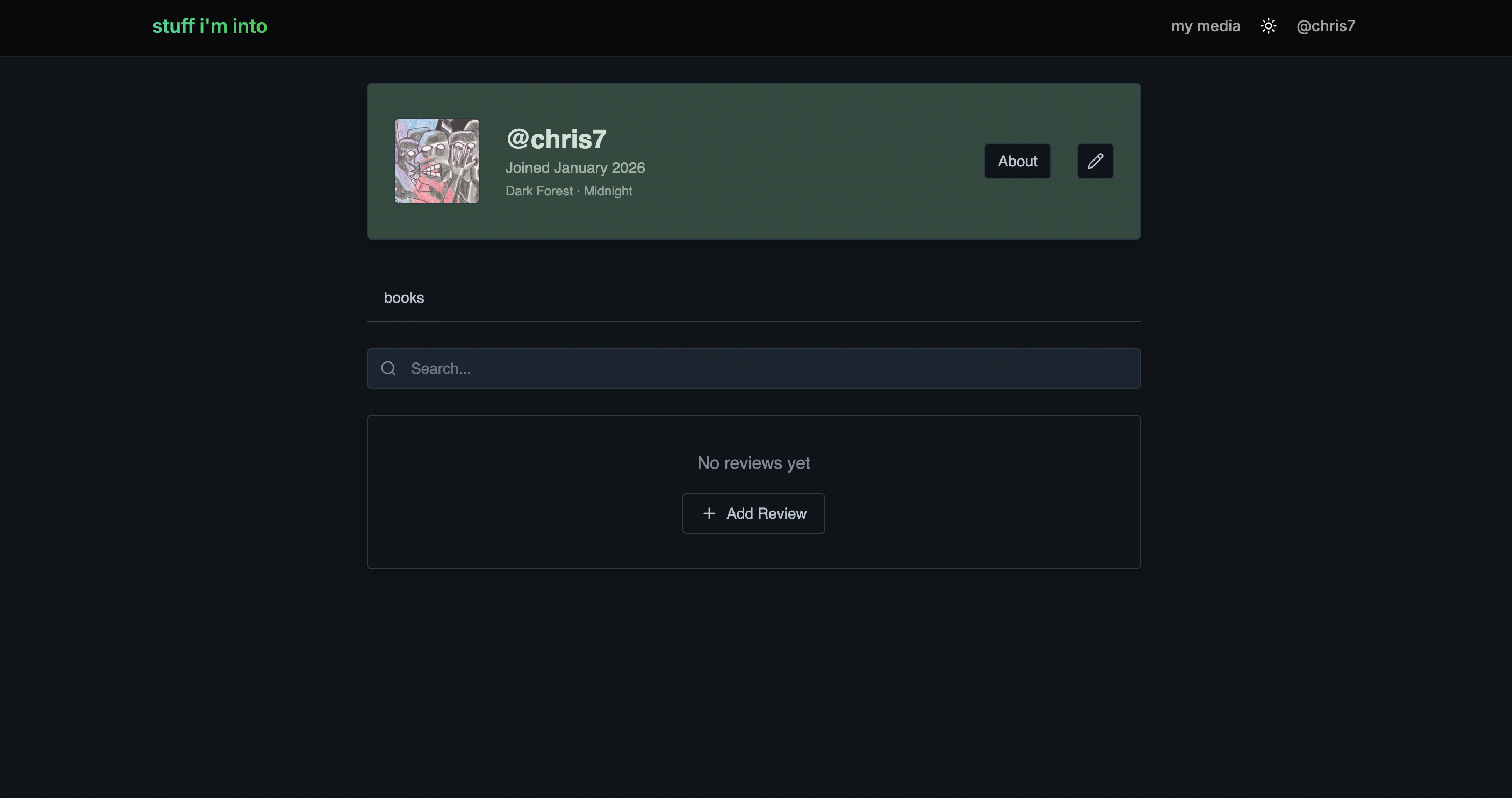
This is giving me an idea for a new project - a list of AI generated “aesthetics” for ShadCN. Currently there’s TweakCN but it’s a bit limited. Imagine a repository of thousands of different aesthetics, with a way to specify improvements in natural language, and you could simply copy + paste the results into your own project. Now that would be cool!
Polishing UX
There were still some minor UX hiccups and overall jankiness I had to iron out.
The user’s bookmarks were loading on the client side, which results in a brief spinner anytime the profile page is reloaded. This is annoying.
This happens because we are fetching the user profile on the client side, instead of server side. I had noticed this mistake in another part of the site, and asked Claude to fix it, but it must have missed this code:
const fetchUserProfile = async (accessToken: string) => {
  try {
    const response = await api.auth.authControllerMe({
      headers: { Authorization: `Bearer ${accessToken}` },
    });
    const data = response.data.data;
    if (data?.user) {
      setUser(data.user as UserProfileDto);
    } else {
      setUser(null);
    }
  } catch {
    setUser(null);
  }
};
Since I started with Supabase and the entire auth was originally using a JWT client-side, everything relating to the user was fetched on the client. This means when a user reloads the page, there is a flash, since the user is not available to the server, and there is a skeleton as we wait for the user to be fetched client-side. I had to ask CC to move this to the server-side, so there’s no annoying flash.
This also required refactoring the auth context a bit. But now, it’s working fine with the navbar having the user from the loader showing up without delay.
Also had to add toasters for errors. In most of the mutations, I need to show an error state, whether that’s a toaster or a form error, if there’s an error on the backend.
This is what it looks like with an error:
Fixing the Styling
So, ignoring the awful coloring choice for a second, the actual components look OK, but very generic. If you are familiar with ShadCN, you can tell I obviously am just using the base styling here. I just had to go around and give the base ShadCN components a little more personality by tweaking the styling.
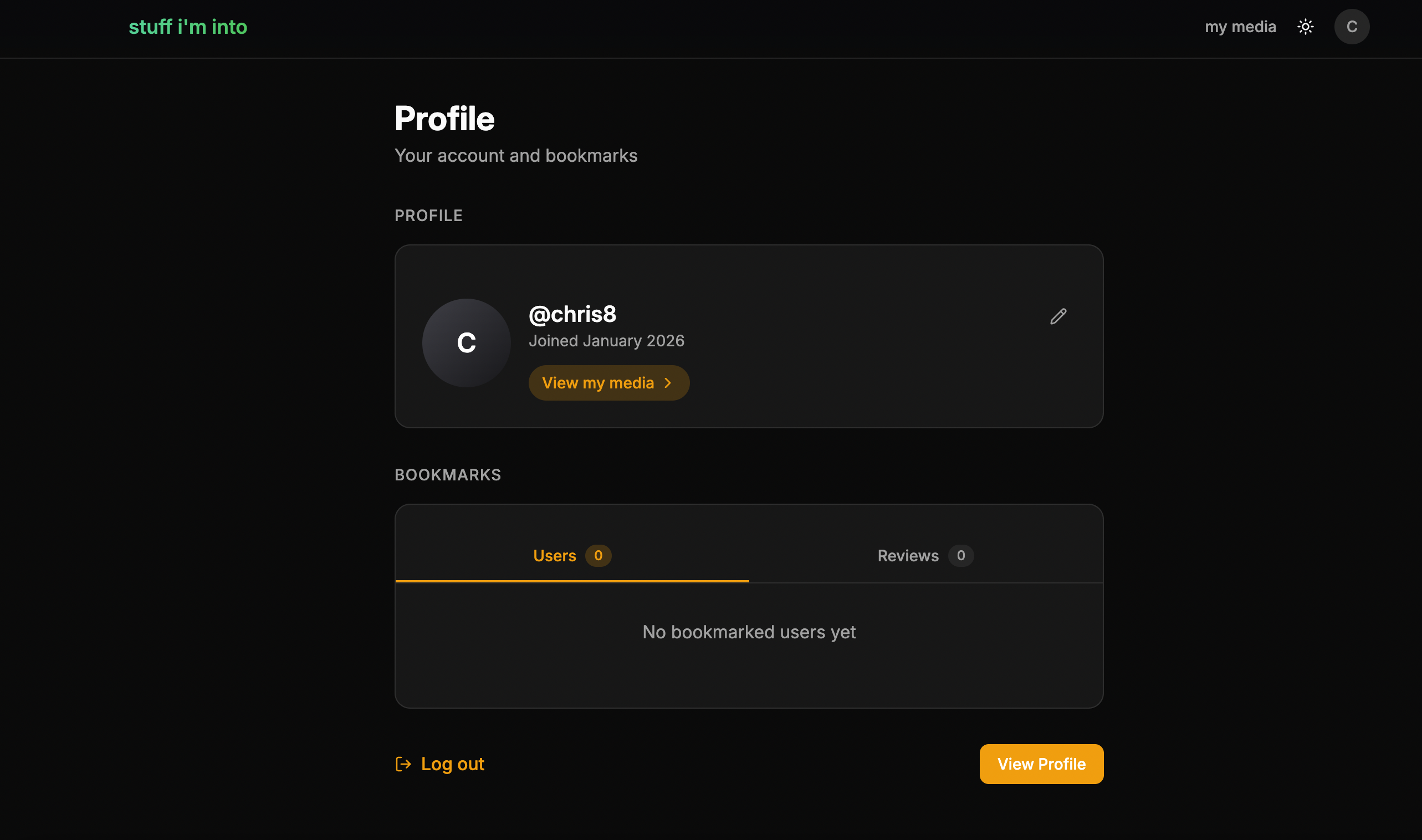
Since this is an MVP, I will probably iterate in the future, but for the time being I just needed something that looked a little more unique.
Making the app more robust
These were some other bugs I encountered, and overall improvements to make the app handle edge cases and errors. Fortunately I could enlist Claude Code’s help to do the following:
- Handle the Onboarding model in case supabase fails
- Add pagination to media list page
- Exclude sensitive information (user role of admin vs user on media list page) from the user list pages
- Limit the size of user provided inputs (max length for category and tab names, maximum number of each)
Deployment
After some further optimizations and tinkering, I had an MVP I was satisified with. I chose to host the frontend and backend in a digital ocean droplet, and bought a domain on Cloudflare.
Claude Code helped a lot in the deployment as well. I’m used to working with a completely different hosting set up, and there were a lot of bugs I ran into involving getting .env variables set up correctly in the droplet and correctly configuring the cookies + DNS records. At the end of the day though, I had a decent website up and running!
You can check it out here: www.stuffiminto.com/users/chris
Final Thoughts
Although I am not new to using AI in my development workflow, this is the first deployed site where I used LLMs to generate 100 percent of the code. Overall, I would say it was a success. There were key parts of the app that would have taken me a while to do without AI, which Claude Code significantly accelerated. These were either places where I used new tech I wasn’t as familiar with (e.g. the Supabase integration or the Cloudflare CDN setup), or more complicated features where I benefitted from brainstorming answers with the AI (ShadCN theming and the overall edit reviews pages). Overall, Claude Code worked great as a strategist, coding partner, and autonomous agent.
Above all, what made CC so useful was that it eliminated “friction” when it came to writing code. A lot of the trivial stuff (writing CRUD endpoints and setting up Prisma) I could have done in my sleep because I’ve implemented it so many times before. But setting up the Cloudflare CDN or theming would not have just taken a lot of time, it would have been mentally taxing. I would have had to deeply think about the solution, do a lot of research into relevant APIs, and tinker around with things until they worked locally. With CC I can do this coding while I’m half distracted watching TV or on the internet. Considering I have a full time job where I write and review code, this is a huge win, since I don’t know if I would have had the energy to do this project in the same amount of time without AI at my fingertips. I probably would have gotten bored with this app halfway through, and maybe would have abandoned it. This excites me, because there are so many projects I want to work on but don’t have the time or energy, which are now in reach.
However, there were definitely shortcomings in the process. I say “the process” because I think some of this was due to my sub-optimal usage of the tool as well as the fundamental limitations of the model and harness. I’ve already listed many of the corrections I had to make on the project, but most of them boiled down to delegating client side vs server side actions and the agent not using certain patterns I had set up (React Query, backend pagination, auth with Supabase, ShadCN, etc.) However, in future apps I’m confident that having a more explicit claude.md file and providing better prompts and context will be fruitful. As I get further into agentic coding, I am learning that proper guardrails and specificity are paramount.
It’s important to note this was on a very small project - I’m sure Claude Code would require a lot more supervision on an established, multi-year long codebase with at least a few hundred thousand lines of code. That’s been my current experience with Cursor at work. Although, yes, you can generate working code by prompting, it requires a deep knowledge of the codebase to assure yourself that the solution is sound.
I also found Addy Osmani’s approach solid. In short: brainstorm a plan with the LLM first. This involves describing the feature you want implemented, having the LLM ask you questions, giving critiques or selecting from multiple options, etc. Once you’ve finished this, you have a plan that both of you have agreed upon which can be used by CC to implement the feature. Sort of a “spec driven development” approach. I tried to start every new feature with at least a short planning session with Claude. However, by the time I actually fully committed to this approach, I was already mostly done with the app and only had to add smaller features or iron out bugs. In my next project, though, I will follow this paradigm from the start, and see how far I can take it in order to complete much larger features or potentially even whole apps.
On top of this, there are just so many more features of CC that I didn’t get to. Skills, hooks, MCP integrations, etc. But CC has made it so easy to make new applications I’m sure I will be testing these out shortly.
In short, this operation was successful and I will likely continue this approach with personal projects, and further explore how I can incorporate more agentic strategies for software development.
Lastly, this space is changing all the time. LLMs went from basically a novelty a few years ago, to a near indispensible tool for software developers. Who knows if this will still be relevant in a few months, or if a newer, more effective paradigm emerges.